Superb Innovative Windows 7 and Windows Live Advertisement

Here is a refreshing advertisement from Microsoft for Windows 7 + Windows Live.  We’ve heard about this, Cloud Computing , all over the web but this time it’s not about the content about the ad but about the innovation.

Give it a look and you’ll be amazed. Video after break.

  Ensure your system runs with less fault using Windows Vista operating system.

Netbooks are NOT cheap laptops!

The initial days after I got my first PC I was in denial that it hardly affected my household electricity bill. I hated laptops at the time because neither were they powerful enough nor were they inexpensive enough. Also, I didn’t have the need. I was a typical Indian college student who wasn’t allowed or  interested in showing off a laptop to classmates. It wasn’t err… still isn’t common enough in the Indian classroom!

Having said that, now years later, I have to admit that laptops have improved leaps and bounds and are quite beneficial for the professional on the go.

During these years came a new phenomenon called the netbook that has taken the market by storm. Ultra cheap, ultra portable laptop like devices that made On-the-Go computing ubiquitous. Not to mention the slew of social media sites such as twitter and facebook that have made constant connectivity such a  necessity!

I, in the meanwhile, came out of my denial that constant 24/7 usage of my monstrous power hogging desktop PC  doesn’t significantly affect my power bills. A menial task like a download shouldn’t require a 140W machine to be constantly running. Does it? This is when I decided that I needed to do something about it after my friend enlightened me, after his purchase, about how a netbook serves this exact purpose.

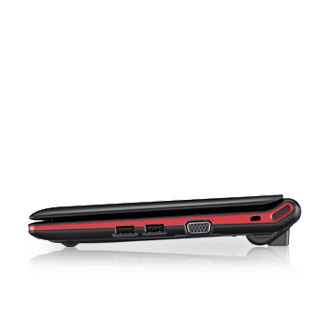
Samsung Netbook

Samsung Netbook

This is when it dawned on me that netbooks aren’t bad after all. All this while I knew exactly what it is capable of and what it is used for – ANYTHING ON THE BROWSER AND THE INTERNET. Nothing more, Nothing less.

Finally, last week I had managed to arrange for the funds. Yeah! it took so long (almost a year). Can’t blame me for that. I’m an average Indian middle-class guy who’s got COMMITMENTS, you see.

Managed to jump in to the club of netbook owners. Got myself the Samsung N148.

Check out its specs here: http://www.samsung.com/in/consumer/pc-peripherals-printer/notebook/n-series/NP-N148-DP03IN/index.idx?pagetype=prd_detail&tab=specification

Disclaimer: This is not a recommendation. Just an information. I am not endorsing any brand/product here. Netbook or Notebook purchase is completely subjective to one’s personal preference. If you need a suggestion, ask for it in the comments section and you will get one but again, it is only a suggestion. Don’t hold me responsible for a crappy purchase that you made.

Now for the core of the blog – reason for the title.

Soon after the news about my purchase exploded on the information superhighway, I started getting calls from friends inquiring about making a similar purchase for themselves as well.

Most of them did not know the difference between a regular laptop and a netbook. The misconception about netbooks being just ultra-portable cheap laptops has infected the general mass perception.

“A netbook does most things that a laptop does. How is it different?” You ask?  Here’s how:

It does NOT have an optical drive. Though external USB based optical drives can be used with it, the fact that it doesn’t come with one is reason enough for many people not to buy it.

  1. A netbook is not capable of playing true HD videos. Though there are claims of a few having powerful GPUs like in Acer Ferrari One and the likes, those are a minority. The majority of the fast selling, cheap netbooks come with integrated graphics chips either on the MoBo or on the proc itself (read Intel Atom N400 series pinetrail and above).
  2. Also, on a 10.1″ screen what pleasure will you get watching videos anyway? To top it, my friend wanted to connect a TV Tuner and watch TV on it! He didn’t want to spend too much on a computer. If you don’t wanna spend too much, then why get a teeny-weeny 10.1″ netbook for TV Viewing? Get a TV, damn it! A 21″ big fat CRT TV starts at Rs. 5k vs Rs.15k! for a decent netbook.
  3. “So, videos aren’t my priority” you say? Well, video isn’t the only casualty. Any decent game wouldn’t play. Cannot have the sweet graphics intensive effects on your desktop (I mean the desktop inside the OS). Though, Windows 7 runs beautifully with transparency & all  just fine. Open a few windows more than 5 and you’d feel the sluggishness.
  4. In case you get the Windows 7 starter edition version, Godspeed, for as you know, it is extremely restrictive.
  5. If you opt for Free DOS as your OS, then you may need to install a practical OS like Windows or Linux yourself. Not having an optical drive really sucks for this reason. You need to download the tools such as UnetBootin for Linux or Windows 7 USB/DVD Download Tool for making a boot-able USB pen/thumb drive from which to install the OS. Although a simple procedure, this may put off the majority of users.
  6. If you need a powerful but sleek laptop, go for the ultra-thin/portable range. Not a netbook!

Having said that, it performs beautifully what it was designed for – The NET in “Netbook”. Standard definition videos, audio, radio, streaming videos, general net surfing, youtube (not HD), facebook, twitter all work heavenly.

Another point I don’t understand is people buying netbooks priced more than Rs. 20k! What’s the point, I ask. At that rate, you might as well get a regular laptop and do a lot more things with it besides getting a bigger screen!

Not to mention, netbooks come as  complete package unlike a desktop. Second hand cheap desktops of the yester-years, if you were considering it, unless you are that tight on budget, STOP! For it wouldn’t have Bluetooth 3.0, WiFi n, Webcam, speakers, Microphone etc.

Great features for On-the-Go blogging, facebooking, tweeting. orkutting etc.

If you attend a lot of conferences and do a lot of live blogging/tweeting and cannot afford those drool-maal phones that have WiFi and stuck with having to pay heavily for GPRS acces with terrible speeds, Netbook is a boon!

My specific purpose as a 24/7 download machine – Amazing. With the LED backlit LCD display and the Intel Atom N450 proc with Integrated graphics on the itself, consuming just 25W is just wonderful! Saving, conservatively estimating, Rs.200 a month, if its life is 2 years, I get my return on investment, taking into account its utility.

So, tell us – the etiole community what you think about netbooks. Whether you considered or considering buying one and if this post has helped you in anyway. We’d like to hear all sides of the story. Sharing is caring! So, if you liked or disliked this post please let the world know. Until next time, happy netbooking! :)

Facebook’s Email Service, Titan coming this Monday

For all of you, Facebook freaks we’re breaking some real great news. Back in February, we reported Facebook could possible working on a WebMail service to replace its existing Inbox System or possibly redesign it.

From what we are hearing now, Facebook is all geared up and set to release the service this Monday. Media invites are out and reports suggest that this event being held, is purely about inbox. UI change, some tweaks, POP access and of course, @facebook.com email address. Brilliant.

Facebooks has got 500 million users and this makes it incredibly easy to implement the service unlike Gmail’s other competitors. Oh, yeah you did hear about Google Vs. Facebook fight about importing contact data. Now, slowly all things are falling in their places.

In short, you could possible sending a mail to your pals from  @facebook.com account this monday!

Via TC.

iOS 4.2 for iPad and iPhone coming tomorrow?
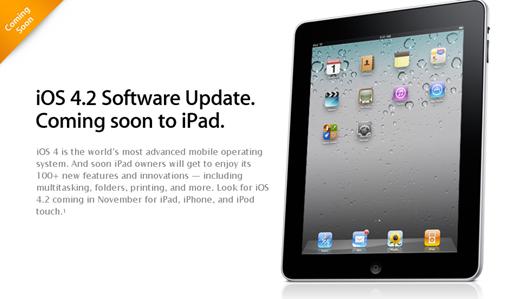
Fresh from the rumors, we’ve heard Apple will be releasing the common OS to all its iDevices (iPhone, iPad and iPod Touch) tomorrow. Numerous sources have pointed out.

We all are excited for it. It brings Multitasking, Folders, GameCenter, Wireless printing and Television streaming (with Apple TV ofcourse) to all the devices and is the first 4.0 update for the iPad. It has also got some HDR improvement.

Its free and rumors suggest its coming tomorrow, on the 9th. If not tomorrow then 12th November is also being speculated as the launch date as Apple will be releasing some network updates. Excited?

RockMelt doesn’t melt a rock : Desktop Social Browser won’t work now
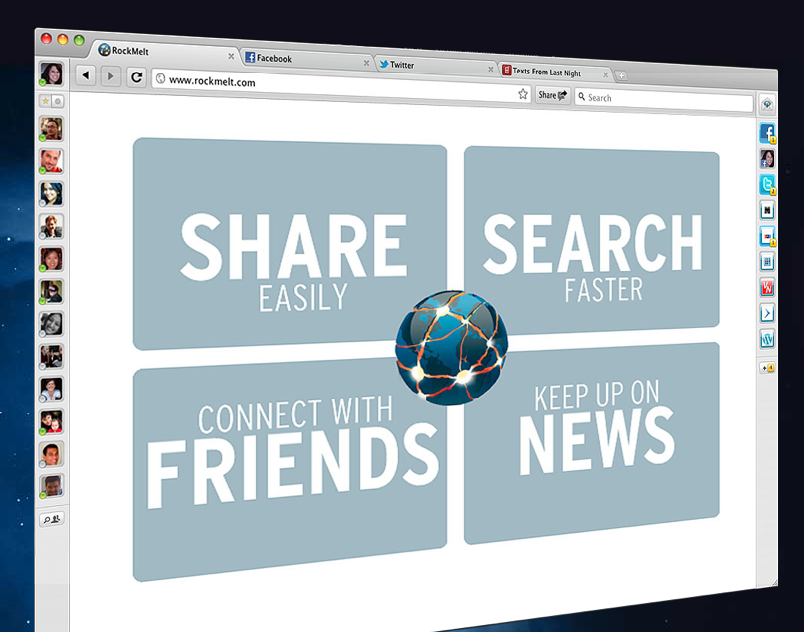
I just landed on Techmeme and was greeted with tons of posts hitting rocking the headline about RockMelt, the new Social browser which opened up for Beta today.

Frankly, it really doesn’t bother me which browser I am running as long it is fast, reliable, has a good UI, bookmarks, and it doesn’t clutter the screen. RockMelt might be good with the former but with conserving your screen’s real estate, duh.

It integrates Facebook, Twitter, FourSquare, YouTube, infact the whole social web especially with a large part of its attention diverted to FaceBook.

The left column of the browser is for Facebook freaks. Its got chat, sending messages and status messages. Right column for Twitter and RSS feeds which updates itself in the background. The browser is based on chromium so not much difference with icognito window and other identical features.

The search bar has been modified to pull up relevant results from relevant websites directly without actually showcasing all google results.

What I hate about it, it’s the biggest distraction. I am sure, its not going to be allowed in office. You are trying to finish preparing reports before todays presentation and then you hear a ‘pop’, Jacy wants you to join her at some ice cream parlor. Nice.

Right and Left columns are gone and take away lot of pixels on my screen. And finally, how many of you spend social networking on your computer? I think there has been a major shift to smartphones and Tablets. This really doesn’t make sense unless they come up with apps for portable devices too. This browser could be the answer to those networking freaks who spend hours on those sites but if you are a serious worker, Chrome “ki Jai ho“.

 Keep your 3GB apple laptop functions on a high with an Intel core 960 processor and quality Intel motherboard.

Kinect for Xbox 360 Review : The good and the bad
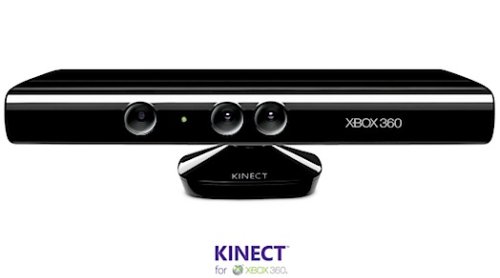
Soon after the Pre-order era, we’ll be observing motion gaming hitting the drawing rooms. Thanks to Microsoft’s Buttonless, Chordless controller, which uses player gestures, movements and voice to record instructions and play.

A daring move though as this could possibly evolve the current gaming atmosphere. Sony’s Motion controller, Move for PS3 will be seen battling with the Kinect (Ps3 Move – $49 Standalone and $99 sports pack, Microsoft Kinect – $149 Standalone and $299 with Xbox 360) .

I’ve loved Sony’s PS2 as it was a masterpiece of its times. But now, I think its time to evolve. Nintendo’s WII brought in a great new concept but it really did not work for me, especially living in Mumbai you really can’t expect huge drawing rooms and with one kick get my fish tank down. Hong Kong, Singapore and many other places are just the same, too little space so I don’t they could make it here.

Kinect is indeed promising, the ads atleast say so, “You are the controller”. Most of the Kinect Tech is based on PrimeSense’s (an Israeli company) technology . If you’ve read our posts before, it was popularly known by its codename, “Project Natal”.

The Good

The concept is fresh. Could possibly sell a lot and users would surely be happy. It’s getting rave reviews from all over the blogosphere. The bundled games, Kinect Adventures are a convincing and make a perfect mix. The controller makes way for multiuser usage.

The front of the controller has three cameras, RGB camera in middle along with the depth sensors. Imagine waving your hand to select a video to play, using your voice to control the gadget and dance in front of the camera to make the character dance. It’s got 60MB specially reserved for the motion controller. It’s got a automatic vertical tilt which tries to capture the most of human life possible in the frame.

VideoKinect’s a feature worth bidding for. A VGA camera with a Mic fitted in the controller make it possible. The Auto-Background noise cancellation feature is brilliant and cancels upto 70% of the noise.

The Bad

Requires you to be at least 6-8 feet away from the controller for this thing to work with no table or obstruction in between. Won’t be difficult for you lest your not some rich dad’s son. The User Interface needs a lot, a lot of improvement for sure.  A lot of tit bits here and there are required.

The camera software requires much improvement to battle it out in the low light conditions. Pricing should have still been a bit low compared to other controllers available in the market. Engadget has got a nice review too.

iPhone 5 might bring in remote computing to the crowd
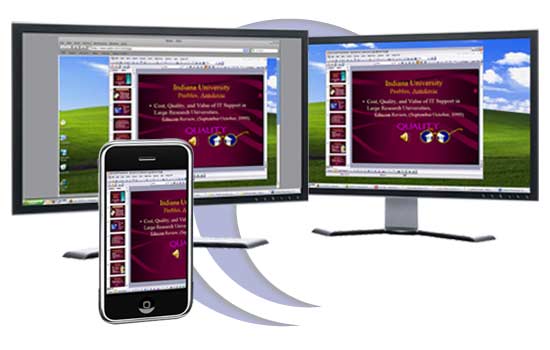
If iPhone 4 was not enough, we have started collecting rumors about the next iPhone, perhaps iPhone 5. Let me get straight to it.

The Rumor suggests that Apple is building in a NFC chip into the next version of iPhone. For those who don’t know what NFC is, here is a excerpt from Wikipedia.

Near Field Communication or NFC, is a short-range high frequency wireless communication technology which enables the exchange of data between devices over about a 10 centimeter (around 4 inches) distance.
Apple has hired leading NFC experts and is registering a lot of patents relating to the technology. Lenovo has already begun using this technology in many of their ThinkPad business laptops for security identification. Apple is supposed to be exploring the other uses of the technology, possibly remote computing.
Your iPhone would store all the necessary information and now when you go next to any NFC compatible Mac, there you go, it transforms into your native computer with all the settings similar without any need of manually changing stuff.
Let me clear out, NFC speeds aren’t too great (about 428 kbits/sec) so if you were imagining the whole hard drive to shifted of, sadly not possible. But if we speak about bookmarks and other settings, wallpapers, themes, and whatever, that could be possible. At this stage, we cannot comment about the service using the cloud or not but looking at the staggering growth of cloud computing, we might get to see some of it come to reality in near future.