Nokia N900 delivery date pushed to November

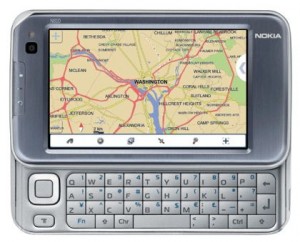
Waiting for Nokia N900 to arrive. Well unfortunately the wait time has just increased as Nokia has delayed the launch date of its Maemo based handset to November. Nokia UK’s online store mentions November as the shipping date for Nokia N900.

nokia-n900-internet-tablet

Peter Schneider, head of Maemo Marketing, Nokia Corporation confirmed November as the launch date for Nokia N900. He said:

The Nokia N900 is a great example of what we and the open source community have been able to achieve with Maemo software. We are working closely with open source developers and for example, at the Maemo Summit in October, we loaned 300 pre-production units to get more feedback from the community. This feedback is extremely important to us and as such we also want to provide the best user experience with the Nokia N900. We expect it to start shipping during November 2009

Previously Nokia’s Internet Tablet was expected to arrive in the late part of October but that is all part of the history now.

Microsoft Stores Open Today : Retail and Online (Change) with Great Buzz and excitement!

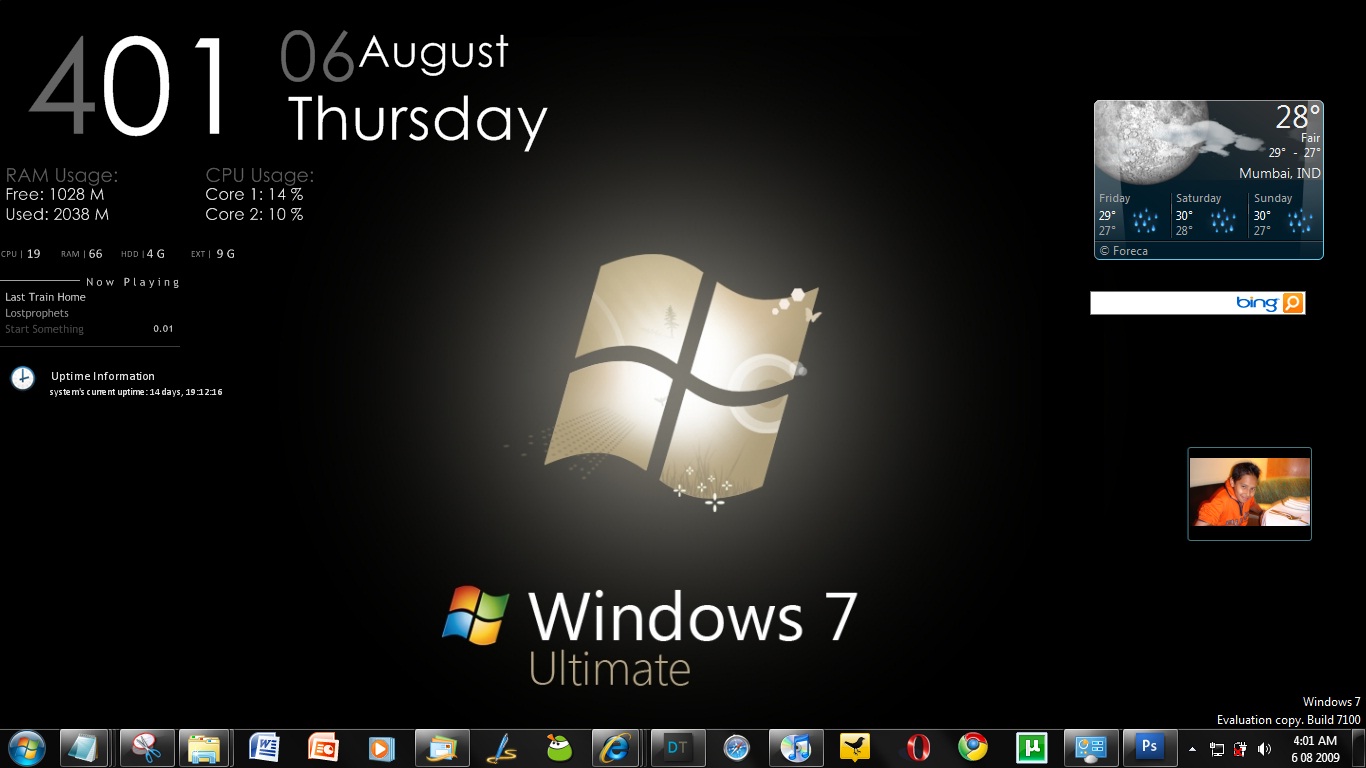
WIndows 7 has been taking away all the headlines from top most blogs, newspapers and Television shows. Here’s another reason why it might be there.

Microsofts Awaited Retail Store have been launched along with the Official Release of Windows 7 Today along with the online store. Great.

Picture 25

The Online Stores Opened up recently, and now they will be selling a lot more than just windows 7. They will be selling Computers Running on Windows 7, 3rd Party Accessories, Xbox 360′s and Game Titles. Awesome. Apart from that, you can also buy Pc Games and Zune Devices form the Store.

Same here, with the Retail Store which first opened today, in Scottsdale which received a tremendous response from users. Beleive me, just check out these Videos and pics.

people-waiting-scotsdale

People Waiting For Store Opening

Well, if thats not enough the first four fans, who were waiting in the line received Free Zune HD’s from Microsoft. (Moral : Be good to them, the’ll be good to you). Here are some Pics from the Store at Scottsdale.

ms-store-3

For More Pics, check out Microsoft Stores, Flickr Photostream.

Microsoft’s Windows Cafe in Paris now Opens!

windows-cafe-paris-4Well, heres a good news for Windows Fans. If your thinking, of where to hang out, then the place is no where but the Windows Cafe in Paris! Machines from partners like Sony, Samsung , Acer, Toshiba, MSI are also provided.  And this evening, it’s full of the Windows 7 colors! (Da!)

If your looking for Windows Style Drinks and Wifi to catch up with online stuff, Windows Cafe seems to be the best place!  Check out the Gallery Below, or view the full gallery at Journal De Geek.

windows-cafe-paris-1

windows-cafe-paris

Windows-Cafe-Paris-2

Windows 7 Ads : The Advertising focus is now you!

There have been numerous windows 7 ads coming up, in this short period of two months. But one thing, we finally could figure out is that after the epic fall of Windows Vista this time, Microsoft isn’t taking any chance.

Especially with the Burger Campaigns, the Decoration one’s Microsoft is trying to make Windows 7 more personal, you know what i mean. It’s focusing on the audience than more on the high tech stuff. Simple and neat stuff is what people want, and Windows 7 surely has it. So now, there showing it to the world and these ads after the break are a Evidence of the statement!

First there’s this 7 second preview of Windows 7 which shows off the task bar feature, and unlike always, the ad isn’t focusing on the feature but on how it could help you and thats what we want! #Win Microsoft!

Wake Up Windows! That’s what we used to sing, earlier for Windows to wake up from sleep. Now, it’s Fast. Yes Real Fast. Here’s a commercial to prove it!

You’ve might of head the feature, Aero shake, to shake of the clutter of your desktop. Well, there’s a 7 Second Preview for it too!

How To Make A Webpage Your Desktop Background

pramodhThis Post is a Guest post by Pramod Kp. Pramodh KP is a young blogger from India. He is very passionate about computer and internet and loves to play with them. He is also a part-time blogger who currently blogs at TechMonk

There are many blogs out there worth following. But, there are some blogs from which you can’t take your eyes off. Now, if you have a blog/webpage like that on your than this trick is useful for you. With this trick, you can make any webpage as your desktop background and be completely updated.

To do this trick,

1) Copy the following code in the notepad.

2) Replace http://www.favoritewebpage.com to your desired webpage. You can also change the body background (bgcolor) to your desired color by changing the hexadecimal code.

After copying and doing the necessary edits,save the document as “.html” file. Now you have to see a webpage icon instead of notepad icon.

Now, right-click on your desktop and go to “Properties” dialog. There select “Desktop” tab and click on “Browse”. Browse the above file and apply it as the desktop background.

That’s it! Now, you can see your favorite webpage on your desktop always. Here is a pic of how it looks.

facebook_background

Windows 7 Launched Now! : Offers, Packages, Marketing Stategies, Reviews are all here! (updated)

Microsoft’s, perhaps most awaited OS, Windows 7 created well enough buzz which it just needed, especially after Windows Vista to change it’s image in front of the customers.

win7Image Credit : BeingManan.com

Windows 7 is now available all over the world (45,000 Stores) and all PC manufacturers have started shipping their computers with Pre-Installed Windows 7 Os. Also, those people who bought their PC’s recently, can now rush in for their free upgrades for which they were promised by their retailers.

Currently here are the  packs that are available for windows 7, 

Buy Windows 7 Anytime Upgrade, Starter to Home Premium for $79.95 from Amazon here.

Buy Windows 7 Anytime Upgrade, Home Premium to Professional for $89.95 from Amazon here.

Buy Windows 7 Home Premium Upgrade for $119.99 from Amazon here.

Buy Windows 7 Home Premium Upgrade Family Pack for $149.95 from Amazon here.

Buy Windows 7 Home Premium for $199.99 from Amazon here.

Buy Windows 7 Professional Upgrade for $199.99 from Amazon here.

Buy Windows 7 Ultimate Upgrade for $219.99 from Amazon here.

Buy Windows 7 Professional at $299.99 from Amazon here.

Buy Windows 7 Ultimate at $319.99 from Amazon here.

Home Premium is more preferred choice of Windows 7 among and a Upgrade to Windows 7 from Windows Xp and Vista will cost $119 (Gr… Snow Leopard is just $29). [Thanks SoftSailor for the list]

Track what’s hot with Windows 7 in the Social Web on Microsoft’s Social Page.

Windows 7 Home PremiumIn Japan, Burger King is selling Windows 7 Burgers called Windows 7 Whopper. They are 5.1 inches tall and cost 777 yen ($8.49). What contributes to the height of the burger are the Seven Patties present in the burger.

windows_7_whopper_burger

Microsoft is also giving, Each Resident Dutch village of Zevenhuizen (meaning seven houses) free copies of Windows 7. It has also decorated Spanish village Sietes (Meaning 7) have also been decorated in Windows theme colours! 

Well, my house house has got seven windows, and i haven’t received my free copies of Windows 7 :P

True Strength of Emoticons and KeyBoard keys and How to use them effectively

Picture 18 :) :| :D ;) :P :\ and the list seems endless. I am sure you use them somewhere in your chat, status updates. So Let me define them for you, as per my computer text book.

An emoticon is a textual face of a writer’s mood or facial expression

And what we have made it into

A part of our online language, not limiting just to expressions but a lot more things.

Well, Speaking frankly i never understood the use of these emoticons till i started using twitter. It has been written somewhere that its very difficult to show what you mean by your statement online as you miss some advantages unlike our normal speech conversation where our facial expression, voice tone and speed determines the meaning of the sentence.

If i am speaking with my friend online, one sentence could have various meanings. For example if i say, “Where were you these days?”, if a am speaking then and i want to express the statement inform of a friendly question, I would stress on the word, “were” in the statement, or for anger i would stress on “Where”. But if i am chatting with him yahoo, it’s very difficult for me to convey what i mean (unless i use the Bold, Italics and Underline button every now and then, but after a while it gets a bit annoying).

Emoticons are the best way to express the mood of your statement which helps you out to bring out the meaning of it effectively. 

How “Not” to use emoticons

  • Did you just break up with your girlfriend ;)
  • Congrats, you’ve won the award as the best employee :(
  • You just failed in your exams :P

And lots more. Using them incorrectly may land you in great trouble.

How to use Emoticons effectively

  • You must always, make it a point to throw statements and comments at the right time, and also analyze some part of the reaction you could receive to such a statement and then accordingly use a Emoticon.
  • Don’t use Emoticons very often as they would loose their importance if you do so.
  • Your Timing should be perfect. Well, writing half a joke and then putting a “:P” doesn’t go well. Perhaps you might land yourself in trouble if the person to whom you wrote it does not find it funny.
  • While interacting with clients emoticons are very useful. Well, winking (“;)”) at your clients every now and then is not a good idea. Limited usage but perfect timing makes it work. On the end of every conversation, adding a “:)” if you think the conversation was pretty good would make your client a bit more :)
  • Using emoticons in Twitter Status updates saves a lot of characters in twitter’s 140 character limit. Using Emoticons at the end of every tweet to tell the mood of the update is pretty good. Usage of more then one emoticon per tweet, (again) reduces the value of the emoticon.

Moving from Emoticons

After emoticons, let me tell you importance of some of the characters, i’ll be concentrating on – “?” and “!”

These apart form just lying somewhere on your keyboard as keys, carry a lot of importance. These can change how your statement appeals to the audience and hence heavily altering what reactions you could get.

Here is one statement i passed on FaceBook and Twitter,

I am sick of my Worksheets

the only difference being the use of  ”!”. Analyze the Results i got. 

On Twitter, without using “!”,


reaction on twitter

Reaction on twitter

What do you notice? Without the use of a “!” the statement people have nothing much to say about a “Dead” kind of statement but to tell that they had the same experiences. By the way “eu também” means Me Too.

Now check out the Statement made by me on FaceBook, with a “!” and the difference can be spot by the comments about the statement.

Picture 17

Reactions on Facebook

The Comments here are a contrast from those comments on Twitter, made on the same statement without a “!”.  In this case, this would be a pretty, small level to test such things but it’s clearly visible. On twitter, they were sharing their same problem whereas on FaceBook the “!” defines the intensity of the statement and people start commenting advising me to finish off the work.

I don’t have resources to judge these things on Mass Scale but if you see, this can make such differences on small scale then, it’s surely going to make a lot of difference on Large Scale.

yahoo-logo

Well now you know, why Yahoo! uses a “!” in it’s logo. Perhaps using just Yahoo would make it really dull. 

Compare Bing, Yahoo and Google Maps, side-by-side in one go!

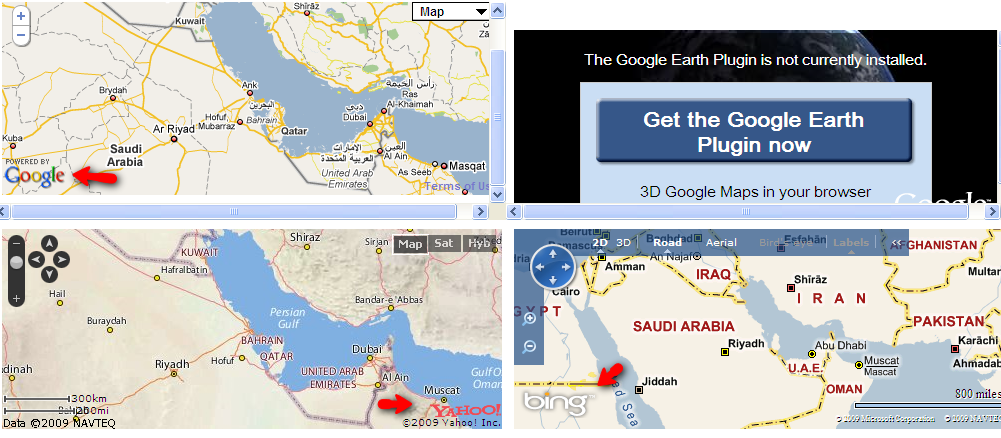
Here are the list of amazing sites which will help users to compare various maps provided by Yahoo,Bing and Google and all of them at a time and  under one roof which will help those who are using online maps how a same key word or place is show in different services and will helping user in selecting  the service he likes most and all that with out leaving a single site instead of going from one site to other.

These two sites here helps you compare Bing, Yahoo and Google Maps, side-by-side.

Bing,Yahoo and Google Maps, side-by-side

Bing,Yahoo and Google Maps, side-by-side

1. http://www.code-purity.com/demo/maps/

2. http://geshout.com/mapscompare/all.php

Not satisfied here then there is more ….

Compare 8 different online mapping services with Flash Earth.

Flash Earth site
Flash Earth site


Included here are maps from Google, Yahoo, Ask, MSN, NASA, and OpenLayers. The well-designed interface allows you to easily switch between services; you can sample each one’s particular representation of satellite and aerial imagery and see if it works for you. This is a great way to compare maps quickly.

www.flashearth.com

Using these services you can also change interface between Map,Hybrid and satellite images.

Apple announces a new MacBook : Awesomeness!

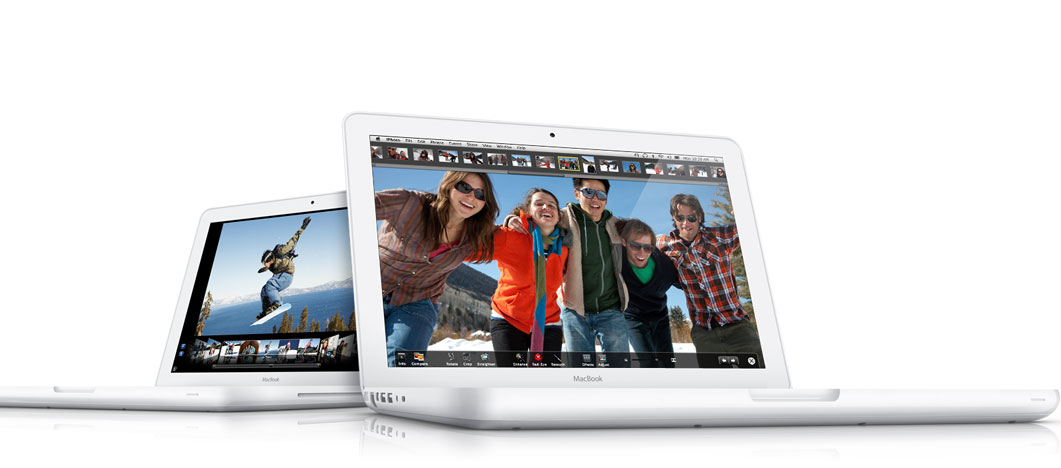
Apple stores went offline during the course of day. Was that a bad sign? Well all of the Apple fans will say that was in no way a bad sign. Infact it meant Apple will be becoming back with a big blast. And a big blast it was. Enter a new upgraded MacBook. Apple’s latest MacBook brings with it features that will please you to the maximum. It boasts of an LED display, multi-touch trackpad and a 7 hour battery life. And boy does the notebook looks beautiful.

macbook102009

And here are the specifications of this gorgeous device:

  • 13.3-inch widescreen LED-backlit 1280 x 800 glossy display.
  • 2.26 GHz Intel Core 2 Duo with 3MB shared L2 cache.
  • 1066 MHz front-side bus.
  • 2GB 1066 MHz DDR3 SDRAM, expandable to 4GB.
  • NVIDIA GeForce 9400M integrated graphics.
  • 250 GB serial ATA hard drive running at 5400 rpm, with Sudden Motion Sensor.
  • a slot-load 8X SuperDrive with double-layer support (DVD±R DL/DVD±RW/CD-RW).
  • Mini DisplayPort for video output (adapters sold separately).
  • built-in AirPort Extreme 802.11n wireless networking and Bluetooth 2.1+EDR.
  • Gigabit Ethernet port.
  • built-in iSight video camera.
  • two USB 2.0 ports.
  • one audio line in/out port, supporting optical digital out and analog in/out.
  • glass Multi-Touch trackpad.
  • built-in, 60WHr lithium polymer battery.
  • 60 Watt MagSafe Power Adapter.